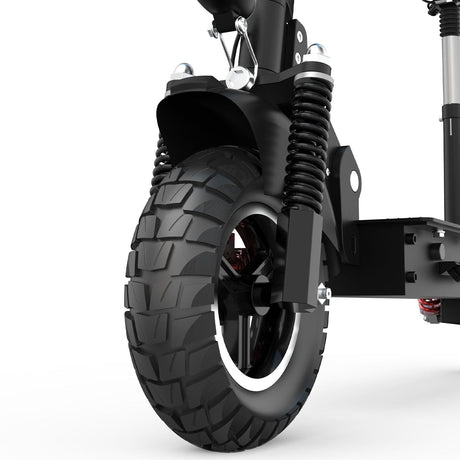
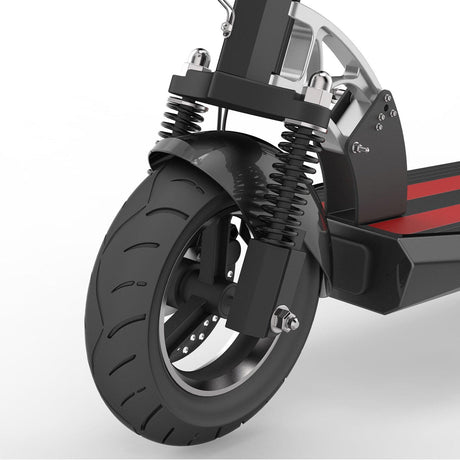
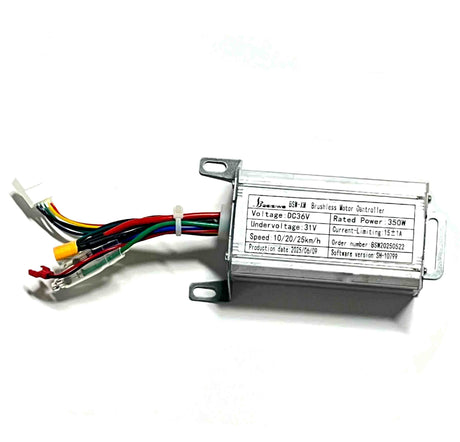
For electric scooter users, the factory-limited speed is a double-edged sword—while ensuring basic safety, it also restricts the vehicle's power potential. Especially for performance-oriented models like the TODIMART E6 and TODIMART E8, with their powerful motors and stable battery systems, they can easily support higher speeds, meeting the efficient needs of commuting, outdoor riding, and other scenarios. Many users have reported that the default 25km/h speed limit is slightly insufficient in open areas or during urgent commutes. Today, we bring you a very detailed tutorial on removing the speed limit, from the operation steps to safety tips, teaching you step-by-step how to unlock a top speed of 40km/h, balancing safety and practicality.
Let's briefly introduce the core performance of the scooter: As a popular model from the TODIMART brand, the TODIMART D6 offers the best value for money and has a relatively simple design. The TODIMART E6 is equipped with a high-efficiency motor and a ternary lithium battery, while the TODIMART E8 features a larger capacity battery for extended range. The official top speed is 45km/h, and the range is perfectly suited for daily commuting. The factory-set speed limit is 25km/h, primarily to comply with traffic regulations in most areas and ensure the safety of novice riders. For experienced riders in areas where higher speeds are permitted, no special tools are needed; the speed limit can be easily removed using the instrument panel buttons to unleash the scooter's full performance.

⚠️ Important Note: Before removing the speed limit, please confirm the speed regulations for electric scooters in your area to avoid violations. High-speed riding places higher demands on the braking system and vehicle stability. It is recommended to check the brakes for responsiveness, tire pressure, and the tightness of all components to ensure riding safety. Furthermore, some brands may exclude unauthorized removal of the speed limit from warranty coverage. If your vehicle is still under warranty, it is recommended to consult TODIMART's official after-sales service first to weigh your usage needs against warranty claims.
I. Preparations for Removing the Speed Limit
Before removing the speed limit, no complicated tools are needed. Simply follow these two steps to ensure a smooth operation:
1. Ensure the vehicle has sufficient battery power: It is recommended to charge the battery to at least 50% to avoid insufficient power causing the instrument panel to go black, interrupting the operation, and affecting the settings.
2. Find a safe operating environment: Choose an open, flat, and undisturbed location. Place the scooter stably to prevent it from sliding during operation. Ensure the instrument panel screen is clearly visible for easy observation of operation feedback.
Core Operation: The scooter uses three key buttons on its instrument panel—the power button (on/off), the M button (confirm/enter settings), and the +/- button (switch/adjust values). No disassembly of the vehicle or special tools are required, making it easy for beginners to operate.
II. Detailed Steps to Remove Speed Limits (10-Step Complete Version Using TODIMART E6 as an Example)
The following steps are specific to removing speed limits on scooters. Each step has clear instrument feedback. It is recommended to check each step carefully to avoid omissions or errors:
Step 1: Power On and Enter Settings Interface
First, press the power button and wait for the instrument panel to light up normally (displaying basic information such as speed and battery level). Then, quickly double-click the M button. The instrument panel will enter the settings interface, where the screen will display "P1," indicating that you have entered the basic settings mode. Note that you must double-click the M button quickly, with an interval of no more than 0.5 seconds, otherwise you may not be able to trigger the settings interface.
Step 2: Switch to P5 Settings Option
After entering the settings interface, the instrument panel will display "P1" by default. Press the + button (no need to hold, just a single click) to switch between P2, P3, P4, and so on, until the screen displays "P5." The P5 option is the advanced settings entry point for the TODIMART E6 scooter and is the key step to remove the speed limit. Pay attention to the instrument display when switching to avoid skipping or accidental operation.
Step 3: Enter Password Input Interface
When the instrument displays "P5", stop pressing the + key. The instrument will automatically switch to the password input interface, prompting the user to enter the password.
Step 4: Enter Unlock Password "1801"
Password input requires the use of the M key, + key, and - key in combination. The core operation is: press the M key to activate a single password digit (the number will change after activation), then use the +/- keys to adjust the number. After setting the single digit, press the M key to confirm, and repeat to complete the 4-digit password input. The specific steps are as follows:
① Press the M key for the first time to activate the first password digit. After the numbers change, use the +/- keys to adjust the number to "1", then press the M key to confirm.
② After confirming the first password, the second password digit will be automatically activated. Use the +/- keys to adjust the number to "8", then press the M key to confirm.
③ After confirming the second password, the third password digit will be automatically activated. Use the +/- keys to adjust the number to "0", then press the M key to confirm.
④ After confirming the third password, the fourth password digit will be automatically activated. Use the +/- keys to adjust the number to "1", then press the M key to confirm.
Note throughout: You must press the M key to confirm after each password digit; otherwise, you will not be able to proceed to the next password setting. If you enter an incorrect digit, you can use the - key to undo the previous one or restart the vehicle and try again.
Step 5: Entering the Advanced Options Interface
After entering and confirming the 4-digit password "1801", the instrument panel will indicate that the password is correct (some models will display "OK"). You will then automatically enter the advanced options interface, where the screen will display "A1" by default.
Step 6: Switch to A3 Speed Limit Adjustment Option
In the advanced options interface, the instrument panel defaults to "A1". Press the + button and click to switch to "A3".
Step 7: Activate Speed Value Adjustment Function
Once the instrument panel displays "A3", observe the bottom of the panel; it will display "25" by default (the factory default speed limit of 25 km/h). Press the M button; the number at the bottom will start to change, indicating that the speed value adjustment function is activated and the speed can be modified.
Step 8: Adjust to the Desired Maximum Speed
After the number changes and the adjustment function is activated, use the + button to increase the speed and the - button to decrease the speed, adjusting the value to the desired maximum speed. Based on the hardware performance of the TODIMART E6, it is recommended to adjust the maximum speed to around 45 km/h (it is not recommended to exceed 45 km/h to avoid excessive wear and tear on the motor and battery, affecting the vehicle's lifespan). After adjustment, press the M button to confirm; the number will stop changing, indicating that the speed setting has taken effect.
Step 9: Return to Initial Instrument Panel
After confirming the speed setting, quickly double-click the M button (the same operation as entering the settings interface in Step 1). The instrument panel will exit the advanced settings interface and return to the initial display interface. At this time, the screen will display the speed, battery level, and other information normally, and the set maximum speed has officially taken effect.
Step 10: Speed Limiting/Unlimited Speed Mode Switching (Alternative Step)
If, after returning to the initial interface, you find that the maximum speed is still only 25km/h while riding, it means the vehicle is in speed-limited mode and you need to switch modes: On the initial instrument panel interface, click the M button once, with each click spaced about 1 second apart (do not click rapidly and continuously), and click it 5 times consecutively to complete the speed limiting/unlimited speed mode switch. After switching, ride again, and you should be able to reach the set maximum speed.

III. Operation Verification and Common Problem Troubleshooting
1. Operation Verification Method
After setting, it is recommended to perform a short-distance ride verification: Start the vehicle in a safe place, accelerate slowly, and observe whether the maximum speed displayed on the instrument panel reaches the set value (e.g., 45km/h). If the speed increases normally and the vehicle travels stably, the speed limit removal operation was successful. If the speed is still limited to 25km/h, it is recommended to repeat the steps, focusing on checking the three key steps: password input, A3 option switching, and mode switching.
2. Common Problems and Solutions
Problem 1: Double-clicking the M button cannot enter the settings interface?
Solution: Check if the double-click speed is too fast or too slow. It is recommended to double-click with a 0.3-0.5 second interval. If you still cannot enter, restart the vehicle and try again, or check if the M button is stuck or malfunctioning.
Problem 2: Unable to access advanced options after entering the password?
Solution: Confirm that the password is correct (must be 1801), and check that each digit of the password is confirmed by pressing the M button. If you still cannot enter after entering the correct password, the vehicle system may need an upgrade. It is recommended to contact TODIMART official after-sales service.
Problem 3: After setting the speed, the maximum speed is still 25km/h?
Solution: Forgot to switch between speed-limited and non-speed-limited modes. Follow step 10 and click the M button 5 times consecutively (with a 1-second interval between each click); or re-enter the A3 option and confirm that the speed setting has been saved to avoid losing the settings due to not pressing the M button to confirm.
Problem 4: When adjusting the speed, the value cannot exceed 25km/h?
Solution: Confirm you have switched to option A3. For some models, you need to press and hold the M button for 3 seconds in option A3 to activate high-speed mode before adjusting the values.
IV. High-Speed Riding Safety Tips and Precautions
After removing the speed limit, the maximum speed of the vehicle can reach 45km/h, which increases the safety risks while riding. Please remember the following precautions to ensure your riding safety:
1. Wear protective equipment: When riding at high speeds, it is recommended to wear a helmet, knee pads, elbow pads, and non-slip gloves to avoid injury in case of accidental falls. For night riding, wear reflective gear to ensure the vehicle lights are working properly.
2. Choose suitable riding locations: Try to ride in open areas without pedestrians or vehicles. Avoid riding at high speeds on main urban roads or in densely populated areas. Obey local traffic regulations and do not illegally occupy lanes or exceed speed limits.
3. Regularly check vehicle condition: After removing the speed limit, the load on the motor, battery, and braking system will increase. It is recommended to check brake sensitivity, tire pressure, motor temperature, and battery life weekly. Repair any problems promptly to prevent malfunctions caused by component aging.
4. Adapt to High-Speed Riding Feel: When riding at high speeds for the first time, it is recommended to accelerate slowly to gradually adapt to the vehicle's handling and stability, and familiarize yourself with the braking distance (braking distance increases at high speeds). Avoid sudden acceleration and braking.
5. Rationally Set the Maximum Speed: Although the E6's hardware supports a speed of 45 km/h, it is not recommended to ride at full speed for extended periods. It is suggested to set the speed between 30-35 km/h based on your riding skills and road conditions, balancing power and safety while extending the vehicle's lifespan.
V. Summary
Removing the speed limiter on the TODIMART E6 electric scooter is a simple and easy-to-understand process, requiring no professional skills or tools. It can be completed via the instrument panel buttons. The key is to locate the P5 advanced settings entry, enter the correct password 1801, adjust the speed in option A3, and finally complete the mode switch. For users seeking a more powerful experience, following the tutorial will easily unlock the vehicle's potential and meet diverse needs such as commuting and outdoor riding.
Finally, it is important to reiterate: safety is always the first priority when riding. After removing the speed limiter, please strictly abide by local traffic regulations, take necessary precautions, and regularly check the vehicle's condition. If you encounter any problems during operation or have any questions about the vehicle's performance, we recommend contacting TODIMART's official after-sales service or customer service for professional guidance and assistance to avoid malfunctions caused by self-disassembly or improper operation.
We hope this detailed tutorial will help you unlock the ultimate speed experience and enjoy every exhilarating ride!